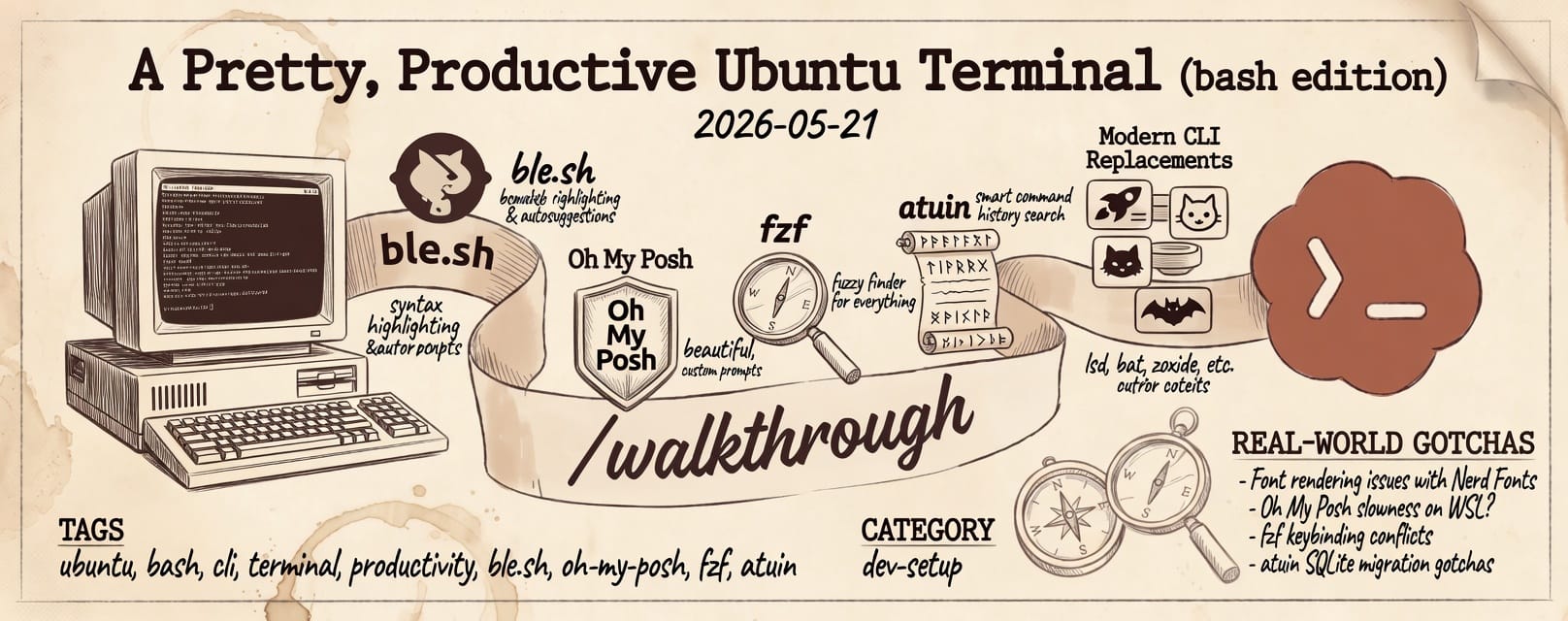
This is a long-form, opinionated guide to setting up a terminal that's both pretty (syntax-highlighted, themed, autosuggesting) and productive (fuzzy everything, smart history, per-project Python envs, modern replacements for the classic Unix tools). It's everything I wish I'd known before assembling the stack — including five or six subtle ordering and integration issues that ate a couple of evenings of my life.
Target: Ubuntu 22.04 or newer, with bash as your shell. No zsh, no fish — bash all the way. The reason: it's the default, it's everywhere, and with ble.sh it gets ~95% of zsh's quality-of-life features.
By the end you'll have:
- Syntax highlighting and fish-style autosuggestions in bash
- A two-line Catppuccin Frappé prompt via Oh My Posh
fzfeverywhere — fuzzy file picking, fuzzy directory cd, fuzzy command history (via Atuin)- Modern replacements for
cat,ls,cd,find,grep,du,df,top,ps,dig,mtr - TUI file management (yazi), git (lazygit), docker (lazydocker)
- LazyVim
- Auto-activating Python virtual environments via
uv+direnv
The final .bashrc and .blerc are at the bottom — feel free to skip ahead.
The mental model
A terminal session has layers. Getting them in the right order is the whole game:
- Shell — bash itself.
- Line editor —
ble.shreplaces GNU Readline with a richer editor that does syntax highlighting, autosuggestions, completion menus, exit-status markers, vi mode, etc. - Prompt —
oh-my-poshgenerates thePS1(and updates it per-command viaPROMPT_COMMAND). - History —
atuinreplaces~/.bash_historywith a context-rich SQLite database, hooksCtrl-R. - Directory hooks —
zoxide(frecency-basedcd),direnv(per-project env activation). - Pickers and TUIs —
fzfwithbat/ezapreviews;yazi,lazygit,lazydocker. - CLI tools — modern rewrites that you call directly:
rg,fd,dust,duf,procs,bat,eza,glow,tldr, etc.
Layers 2–5 all want to wrap PROMPT_COMMAND and/or bind keys. Their order in ~/.bashrc matters, and getting it wrong leads to silent failures. We'll come back to this.
Prerequisites
sudo apt update
sudo apt install -y git curl wget build-essential
Ubuntu's default ~/.profile adds ~/.local/bin to PATH if the directory exists. Make sure it does, and force the line in ~/.bashrc as belt-and-suspenders:
mkdir -p ~/.local/bin
We'll add the explicit PATH line during the .bashrc assembly later.
Install the tools
A pile of installs, mostly one-liners. Some need symlinks because Ubuntu renamed binaries to avoid package conflicts; I'll flag those.
Line editor — ble.sh
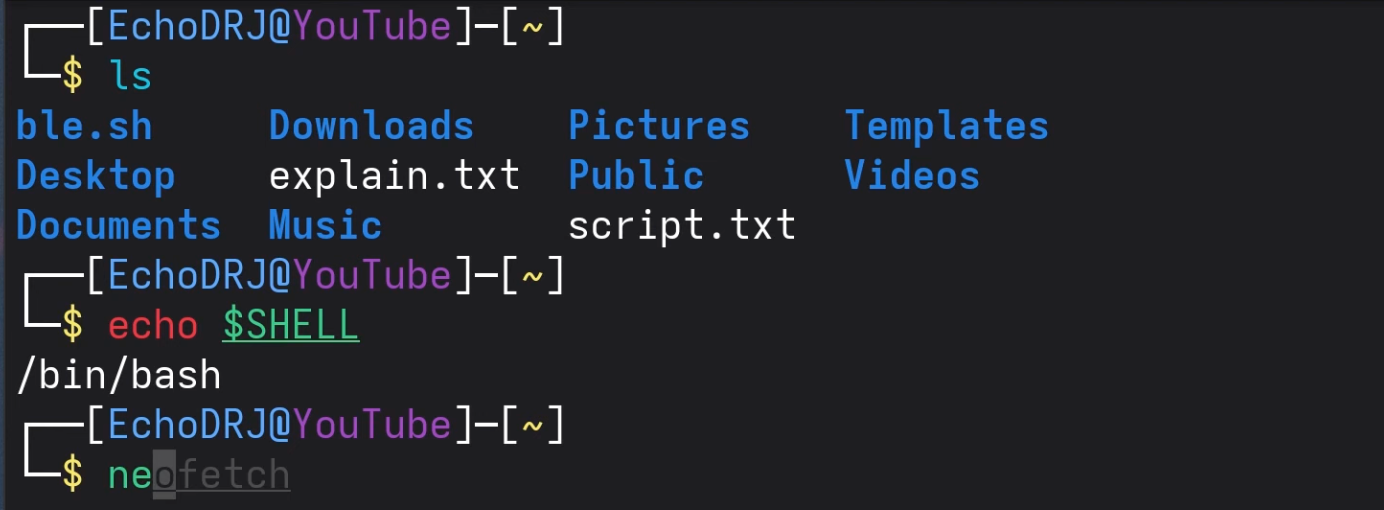
The single biggest QoL upgrade. Build from source — apt doesn't ship it:
sudo apt install -y gawk
git clone --recursive --depth 1 --shallow-submodules \
    https://github.com/akinomyoga/ble.sh.git ~/ble.sh
make -C ~/ble.sh install PREFIX=~/.local
gawk (not Ubuntu's default mawk) is required for the build. The compiled files end up in ~/.local/share/blesh/; the source clone at ~/ble.sh is kept around so you can git pull && make install later to update.
Fuzzy finder — fzf
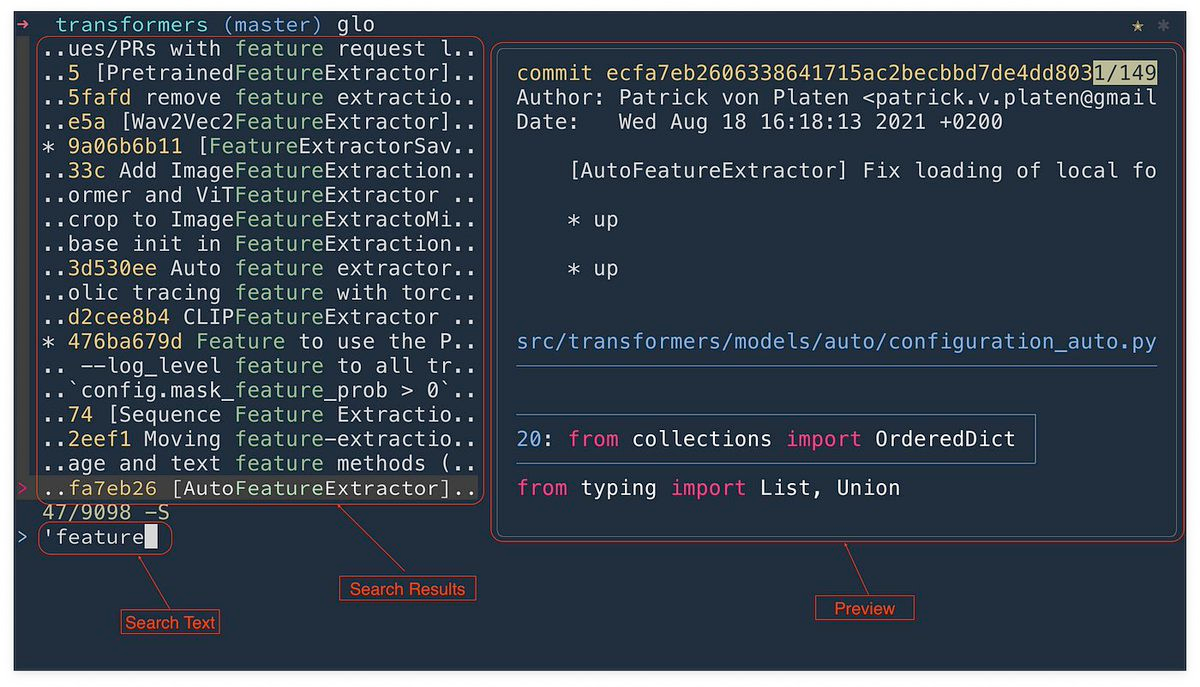
Critical: apt's fzf is often too old to support the --bash flag we need (it landed in 0.48 / Dec 2023). Install from source:
git clone --depth 1 https://github.com/junegunn/fzf.git ~/.fzf
~/.fzf/install --all --no-update-rc
ln -sf ~/.fzf/bin/fzf ~/.local/bin/fzf
Answer y / y / n to the installer's three prompts — yes to completion, yes to key bindings, no to "update shell config" (we'll wire it up ourselves). The symlink puts the new binary on ~/.local/bin which is first on PATH, so it shadows any apt fzf you may have. Don't bother uninstalling the apt one — it's harmless.
Cat replacement — bat
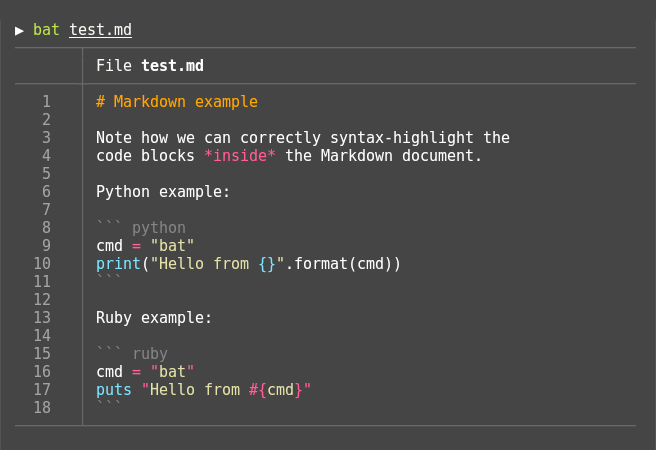
sudo apt install -y bat
ln -sf $(which batcat) ~/.local/bin/bat
The symlink is needed because Ubuntu installs the binary as batcat to avoid clashing with an old utility named bat.
Find replacement — fd
sudo apt install -y fd-find
ln -sf $(which fdfind) ~/.local/bin/fd
Same symlink story.
ls replacement — eza
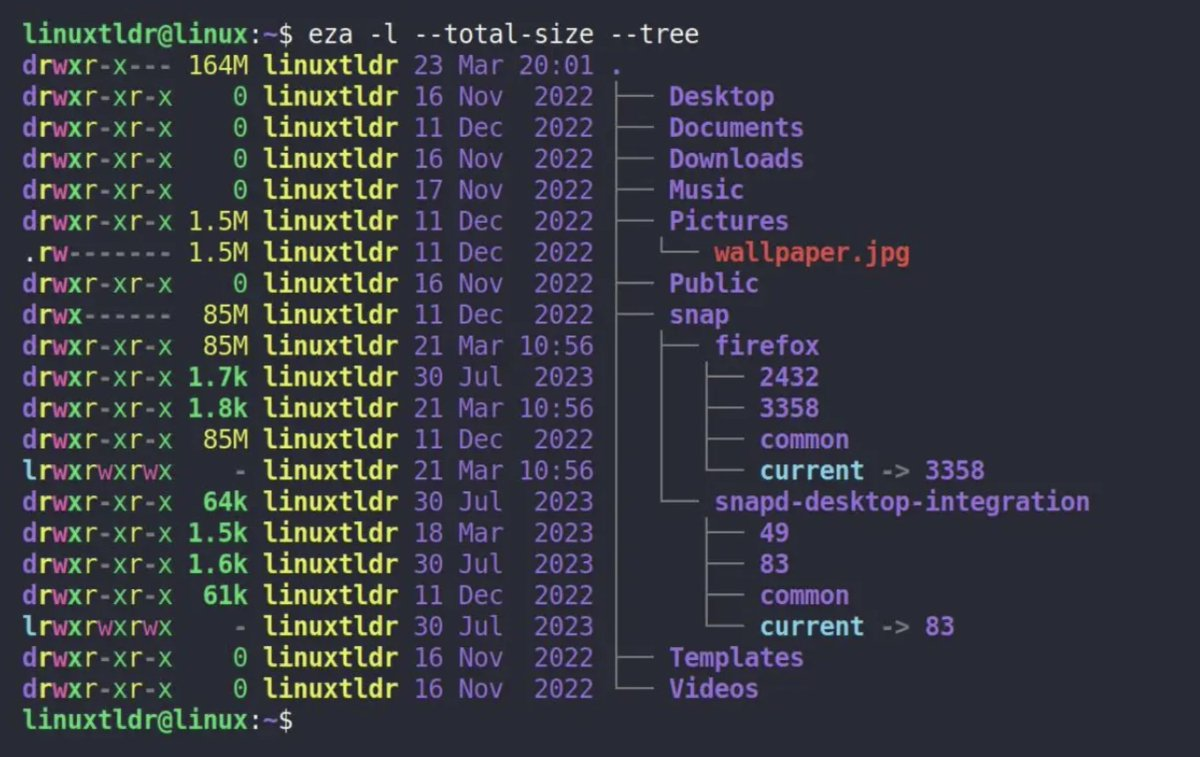
Not in apt. Add the maintainer's repo:
sudo mkdir -p /etc/apt/keyrings
wget -qO- https://raw.githubusercontent.com/eza-community/eza/main/deb.asc \
    | sudo gpg --dearmor -o /etc/apt/keyrings/gierens.gpg
echo "deb [signed-by=/etc/apt/keyrings/gierens.gpg] http://deb.gierens.de stable main" \
    | sudo tee /etc/apt/sources.list.d/gierens.list
sudo chmod 644 /etc/apt/keyrings/gierens.gpg /etc/apt/sources.list.d/gierens.list
sudo apt update
sudo apt install -y eza
cd replacement — zoxide
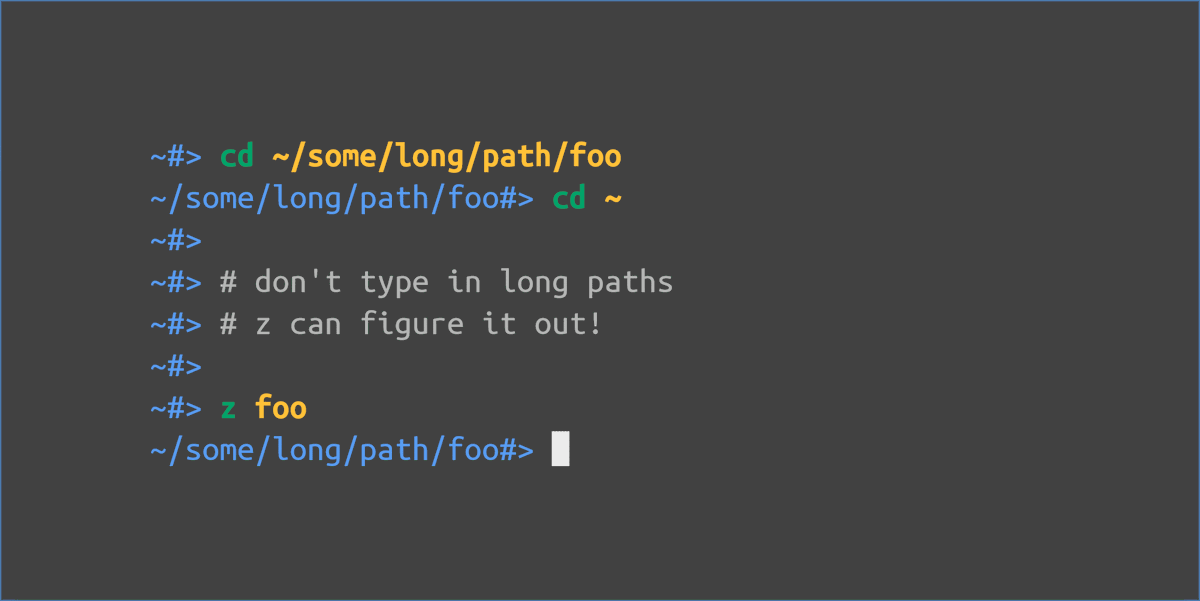
sudo apt install -y zoxide
grep replacement — ripgrep
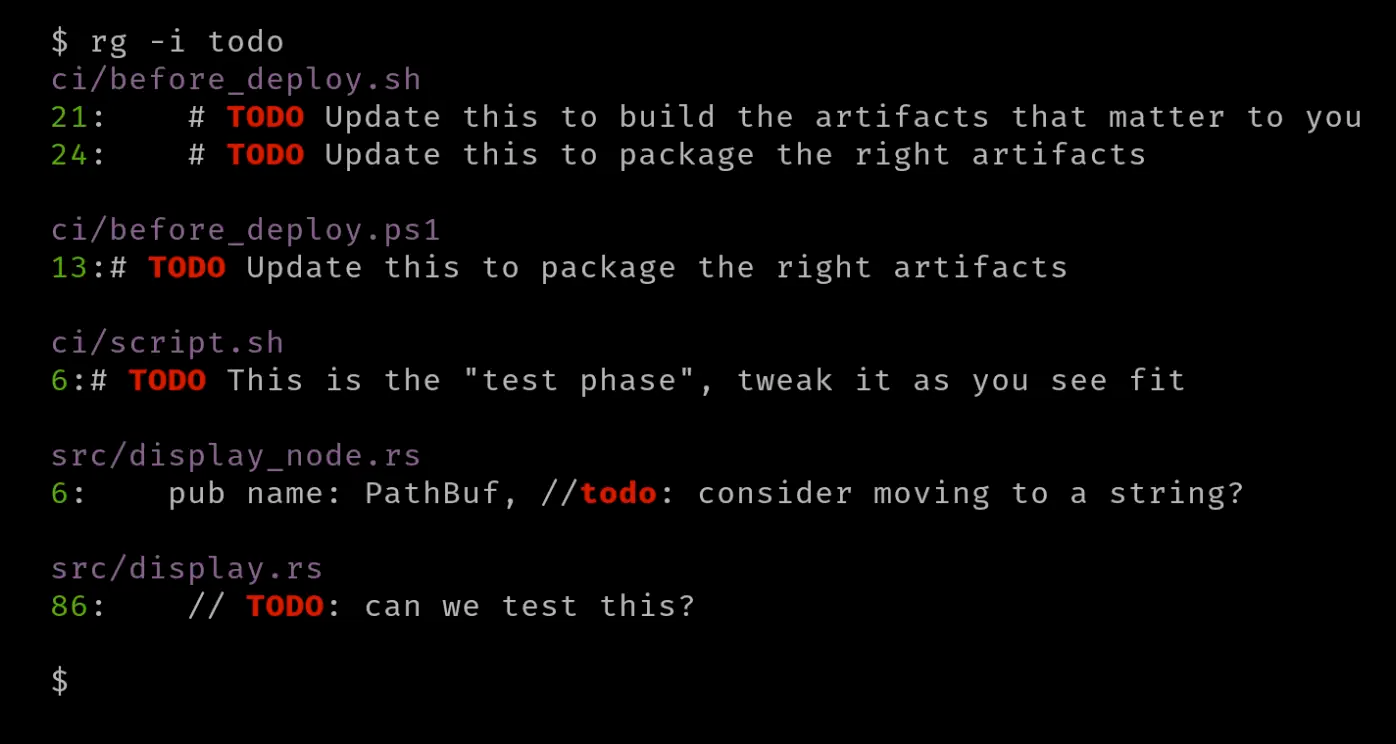
sudo apt install -y ripgrep
Better classics — modern CLI replacements
A bunch of one-liners. Each is a drop-in upgrade for its classic counterpart:
sudo apt install -y ncdu duf du-dust procs ipcalc
That covers ncdu (interactive disk usage), duf (pretty df), du-dust (visual du, binary is dust), procs (modern ps), ipcalc (subnet math).
Markdown viewer — glow (Charm)
sudo mkdir -p /etc/apt/keyrings
curl -fsSL https://repo.charm.sh/apt/gpg.key | sudo gpg --dearmor -o /etc/apt/keyrings/charm.gpg
echo "deb [signed-by=/etc/apt/keyrings/charm.gpg] https://repo.charm.sh/apt/ * *" | sudo tee /etc/apt/sources.list.d/charm.list
sudo apt update
sudo apt install -y glow
Television (tv) — fuzzy finder with "channels"
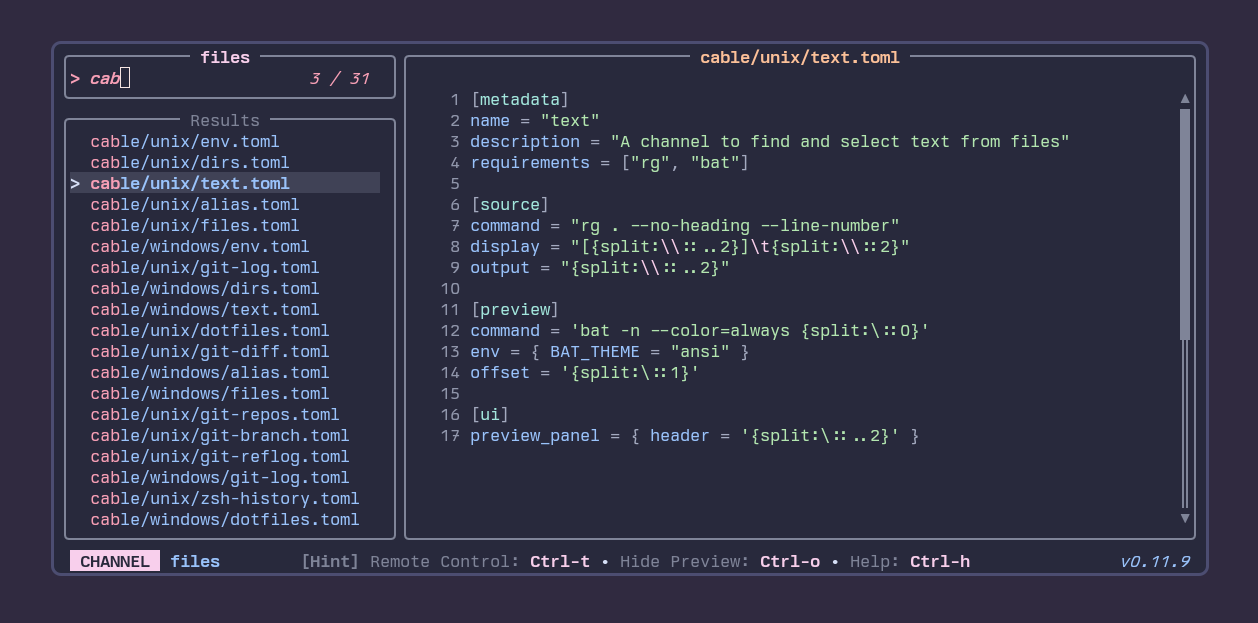
A newer Rust-based fuzzy picker with built-in "channels" (files, text contents, git repos, env vars, history). Complements fzf rather than replacing it.
curl -fsSL https://alexpasmantier.github.io/television/install.sh | bash
Wired into bash via eval "$(tv init bash)" (in the bashrc below). Heads-up: that init line binds Ctrl-T, which conflicts with fzf's Ctrl-T. If you prefer fzf's binding, omit the eval line and just call tv as a command (tv text, tv git-repos, etc.).
Auto-correct typos — thefuck
sudo apt install -y python3-dev python3-pip python3-setuptools thefuck
Password generator — diceware
A Python tool, install via pipx so it doesn't pollute system Python:
sudo apt install -y pipx
pipx ensurepath
pipx install diceware
Usage: diceware -n 6 for a 6-word passphrase.
Better mtr — trippy
sudo add-apt-repository -y ppa:fujiapple/trippy
sudo apt update
sudo apt install -y trippy
sudo setcap CAP_NET_RAW+p $(which trip)
The binary is trip. The setcap grants raw-socket capability once, so you don't need sudo per invocation. We'll alias mtr to trip in the bashrc.
DNS lookups — doggo
curl -fsSL https://raw.githubusercontent.com/mr-karan/doggo/main/install.sh | sh
Better history — atuin
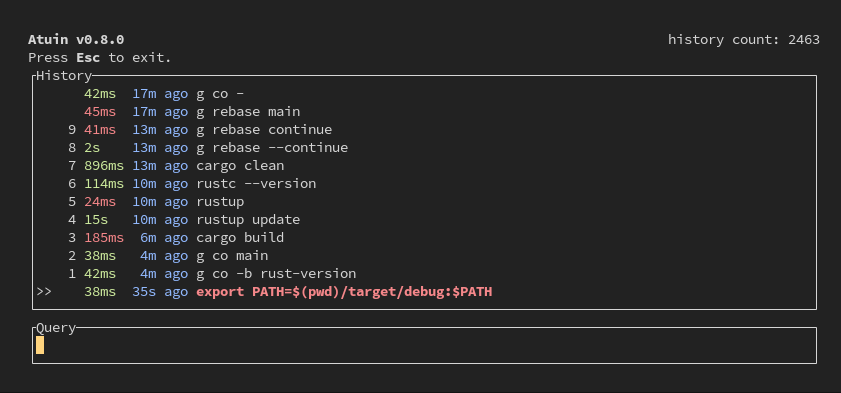
bash <(curl --proto '=https' --tlsv1.2 -sSf https://setup.atuin.sh)
atuin import bash      # pull in your existing ~/.bash_history
Optional: register a free account for end-to-end-encrypted history sync across machines (atuin register then atuin sync). Local-only works fine if you skip it.
Editor — Neovim + LazyVim
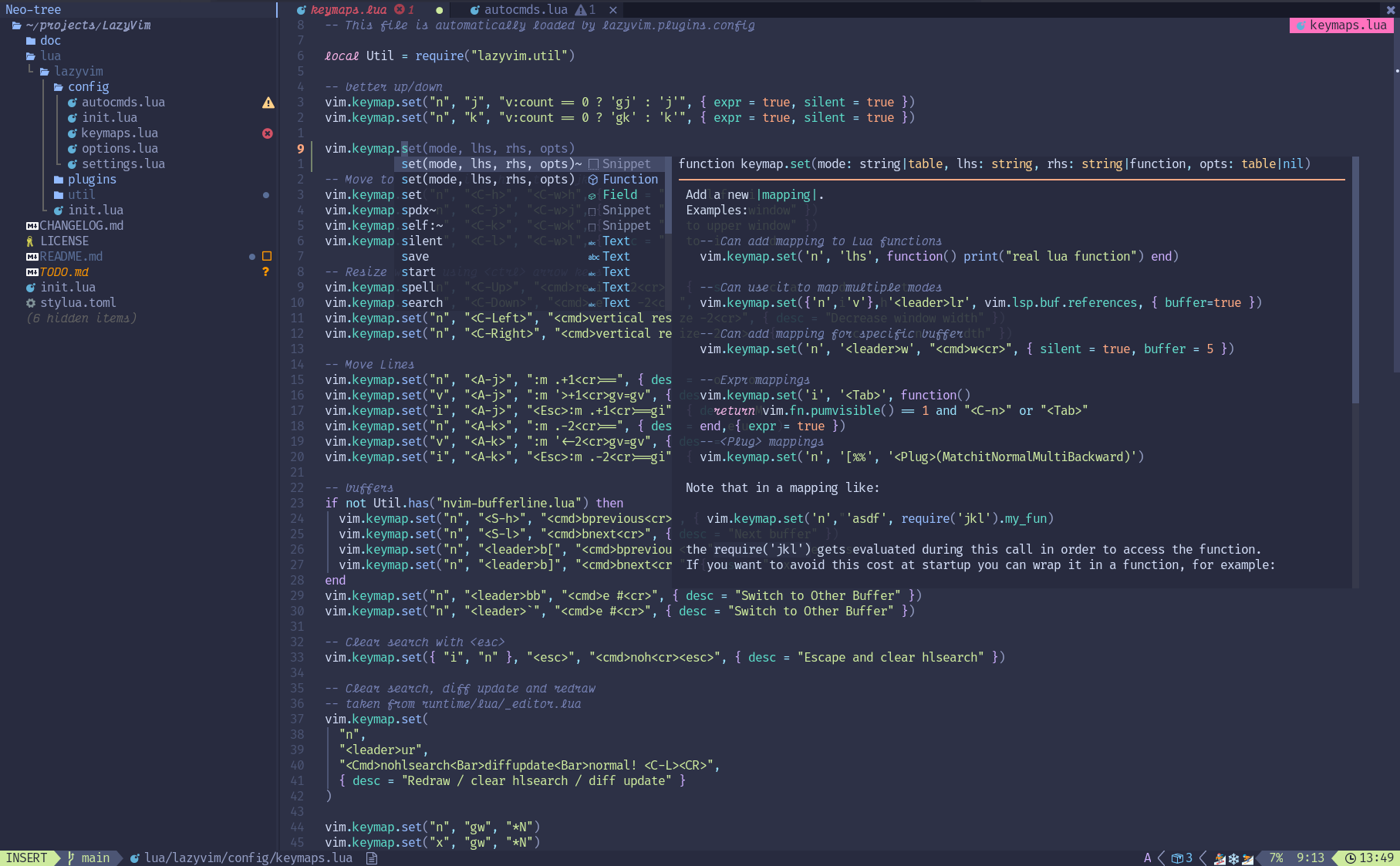
Apt's neovim is too old for current LazyVim. Snap gives us a guaranteed-recent build:
sudo apt remove -y neovim
sudo snap install nvim --classic
hash -r
If you previously had any nvim config, back it up; then install LazyVim's starter:
mv ~/.config/nvim{,.bak} 2>/dev/null
mv ~/.local/share/nvim{,.bak} 2>/dev/null
mv ~/.local/state/nvim{,.bak} 2>/dev/null
mv ~/.cache/nvim{,.bak} 2>/dev/null
git clone https://github.com/LazyVim/starter ~/.config/nvim
rm -rf ~/.config/nvim/.git
nvim    # first launch installs all plugins — let it finish
Git TUI — lazygit
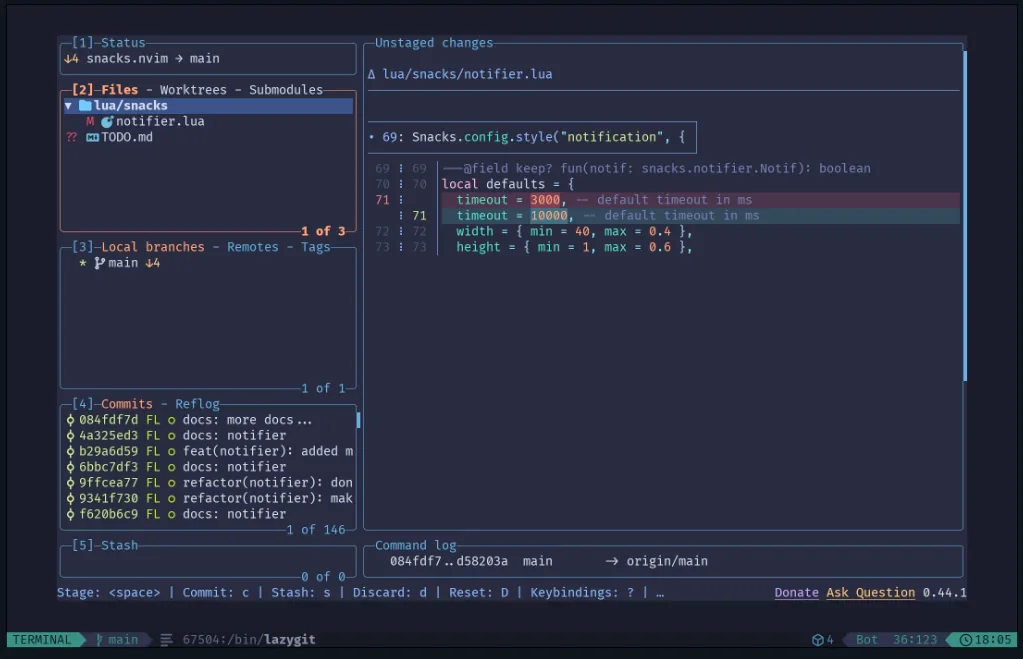
Not in apt. Install the latest release binary:
LAZYGIT_VERSION=$(curl -s "https://api.github.com/repos/jesseduffield/lazygit/releases/latest" | grep -Po '"tag_name": "v\K[^"]*')
curl -Lo /tmp/lazygit.tar.gz "https://github.com/jesseduffield/lazygit/releases/latest/download/lazygit_${LAZYGIT_VERSION}_Linux_x86_64.tar.gz"
tar xf /tmp/lazygit.tar.gz -C /tmp lazygit
install /tmp/lazygit ~/.local/bin/
rm /tmp/lazygit /tmp/lazygit.tar.gz
(Replace x86_64 with arm64 if you're on ARM.)
Docker TUI — lazydocker
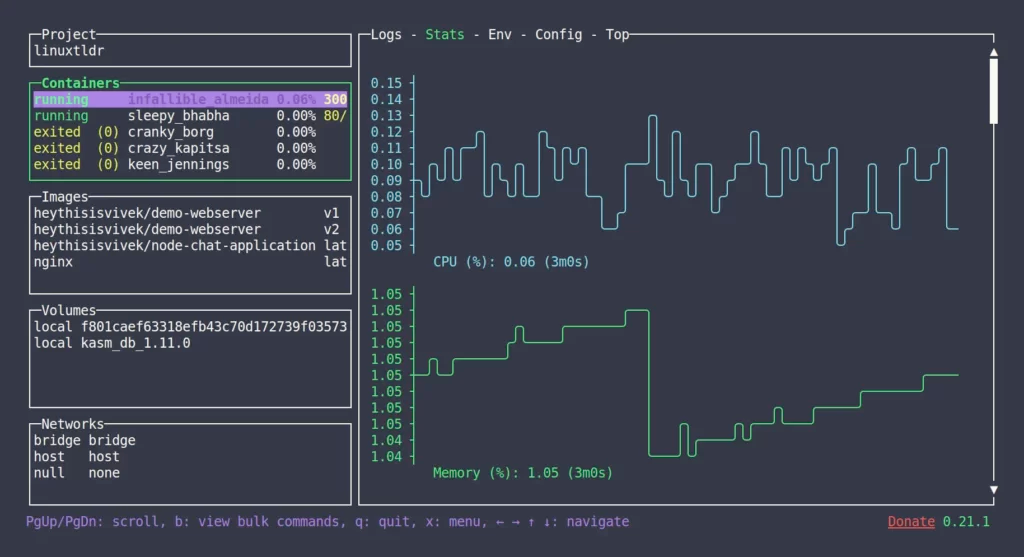
curl https://raw.githubusercontent.com/jesseduffield/lazydocker/master/scripts/install_update_linux.sh | bash
Installs to ~/.local/bin/lazydocker.
File manager — yazi
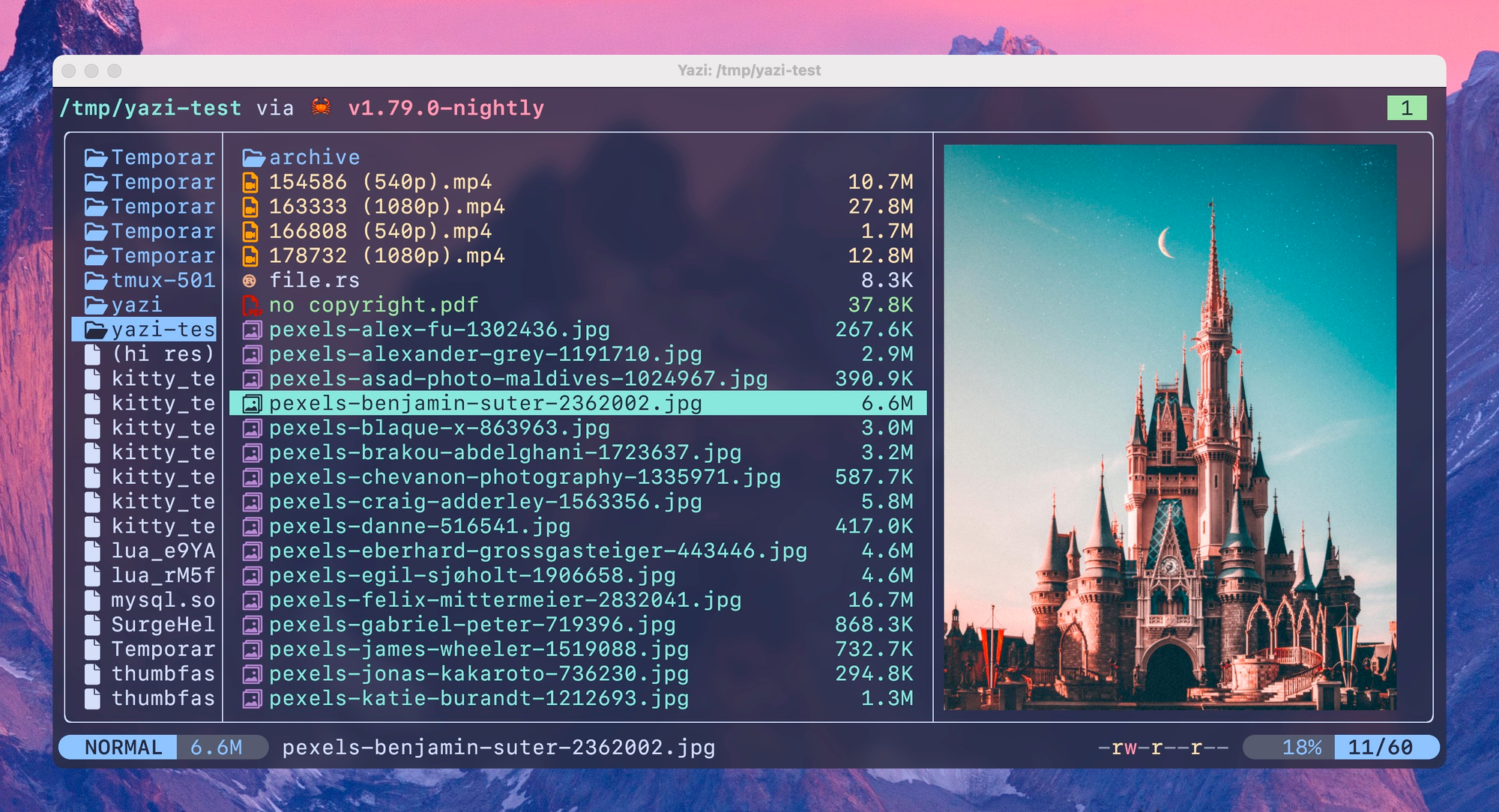
Best installed via snap on Ubuntu:
sudo snap install yazi --classic
# optional preview deps
sudo apt install -y ffmpeg p7zip-full poppler-utils imagemagick
Roaming-friendly SSH — mosh
sudo apt install -y mosh
Install on both ends — your client and the remote machine. UDP ports 60000–61000 need to be open on the server.
Python envs — uv + direnv
sudo apt install -y direnv
curl -LsSf https://astral.sh/uv/install.sh | sh

# Global direnv helper
mkdir -p ~/.config/direnv
cat > ~/.config/direnv/direnvrc <<'EOF'
use_uv() {
    if [ ! -d .venv ]; then
        uv venv
    fi
    source .venv/bin/activate
}
EOF

# Keep .envrc out of all repos by default
mkdir -p ~/.config/git
echo ".envrc" >> ~/.config/git/ignore
git config --global core.excludesfile ~/.config/git/ignore
The convenience alias uvenv goes in bashrc — see below.
Prompt — Oh My Posh + Nerd Font
The prompt and the font that powers it:
curl -s https://ohmyposh.dev/install.sh | bash -s
mkdir -p ~/.config/ohmyposh
cp ~/.cache/oh-my-posh/themes/catppuccin_frappe.omp.json \
   ~/.config/ohmyposh/catppuccin_frappe.omp.json

mkdir -p ~/.local/share/fonts
curl -fLo /tmp/JetBrainsMono.zip \
    https://github.com/ryanoasis/nerd-fonts/releases/latest/download/JetBrainsMono.zip
unzip -o /tmp/JetBrainsMono.zip -d ~/.local/share/fonts/JetBrainsMono
fc-cache -f
Manual step: open your terminal's preferences and set the font to JetBrainsMono Nerd Font. Without a Nerd Font, the prompt renders as squares and question marks.
The .bashrc — and why ordering matters
Here's where the rubber meets the road. We have four systems that all want to hook PROMPT_COMMAND: Oh My Posh, bash-preexec (via Atuin), direnv, and ble.sh. They'll chain together correctly if loaded in the right order, and silently break if not.
The ordering rules
After much trial and error, these are the rules:
- ble.sh source goes near the top, with
--noattach. This registers ble.sh's machinery without taking over yet. - The Ubuntu default PS1 block can stay where it is — Oh My Posh will override it.
- Atuin must load before Oh My Posh, because Atuin pulls in
bash-preexecwhich aggressively reorganizesPROMPT_COMMAND. If Oh My Posh's hook function exists when bash-preexec loads, bash-preexec swallows it. - Oh My Posh init goes after atuin and before the final
ble-attach. This is the lesson that cost me an evening: with Oh My Posh at the top of.bashrc(the obvious place), bash-preexec eats its_omp_hookfunction during atuin init, and you end up with the bash default prompt. - direnv hook also goes before
ble-attach. If it's after, it loads but never fires. ble-attachis the absolute last line. Anything after it runs in a context where ble.sh is already managing the prompt cycle, and most things will silently fail.
Secrets pattern
Don't put API tokens, HF tokens, or anything sensitive in ~/.bashrc. It's easy to accidentally cat it during a screen share or commit it via a dotfiles repo. Use a sourced sidecar:
touch ~/.bash_secrets
chmod 600 ~/.bash_secrets
# Put `export FOO=bar` lines in there
If you keep your dotfiles in a git repo (you should), add the sidecar to your global gitignore — the direnv setup above already wired up ~/.config/git/ignore, so one line covers it:
echo ".bash_secrets" >> ~/.config/git/ignore
The bashrc sources ~/.bash_secrets if present, so secrets live one file over from everything else and are easy to keep out of version control.
The complete ~/.bashrc
# ~/.bashrc — bash configuration for interactive Ubuntu shells

# If not running interactively, don't do anything
case $- in
    *i*) ;;
      *) return ;;
esac

# ─── ble.sh ── load early, attach last ───────────────────────────────
[ -f "$HOME/.local/share/blesh/ble.sh" ] && \
    source -- "$HOME/.local/share/blesh/ble.sh" --noattach

# ─── PATH ────────────────────────────────────────────────────────────
export PATH="$HOME/.local/bin:$PATH"

# ─── History ─────────────────────────────────────────────────────────
HISTCONTROL=ignoreboth
shopt -s histappend
HISTSIZE=1000
HISTFILESIZE=2000
shopt -s checkwinsize

# ─── Lesspipe & chroot indicator ─────────────────────────────────────
[ -x /usr/bin/lesspipe ] && eval "$(SHELL=/bin/sh lesspipe)"
if [ -z "${debian_chroot:-}" ] && [ -r /etc/debian_chroot ]; then
    debian_chroot=$(cat /etc/debian_chroot)
fi

# ─── Fallback PS1 (oh-my-posh overrides this when present) ───────────
case "$TERM" in
    xterm-color|*-256color) color_prompt=yes ;;
esac
if [ "$color_prompt" = yes ]; then
    PS1='${debian_chroot:+($debian_chroot)}\[\033[01;32m\]\u@\h\[\033[00m\]:\[\033[01;34m\]\w\[\033[00m\]\$ '
else
    PS1='${debian_chroot:+($debian_chroot)}\u@\h:\w\$ '
fi
unset color_prompt
case "$TERM" in
    xterm*|rxvt*) PS1="\[\e]0;${debian_chroot:+($debian_chroot)}\u@\h: \w\a\]$PS1" ;;
esac

# ─── Colors & aliases ────────────────────────────────────────────────
if [ -x /usr/bin/dircolors ]; then
    test -r ~/.dircolors && eval "$(dircolors -b ~/.dircolors)" || eval "$(dircolors -b)"
    alias ls='ls --color=auto'
    alias grep='grep --color=auto'
    alias fgrep='fgrep --color=auto'
    alias egrep='egrep --color=auto'
fi
alias ll='ls -alF'
alias la='ls -A'
alias l='ls -CF'
alias lsa='eza -alh'

alias alert='notify-send --urgency=low -i "$([ $? = 0 ] && echo terminal || echo error)" "$(history|tail -n1|sed -e '\''s/^\s*[0-9]\+\s*//;s/[;&|]\s*alert$//'\'')"'

[ -f ~/.bash_aliases ] && . ~/.bash_aliases

# ─── Programmable completion ─────────────────────────────────────────
if ! shopt -oq posix; then
    if [ -f /usr/share/bash-completion/bash_completion ]; then
        . /usr/share/bash-completion/bash_completion
    elif [ -f /etc/bash_completion ]; then
        . /etc/bash_completion
    fi
fi

# ─── Public env + secrets ────────────────────────────────────────────
# Public env vars only — secrets live in ~/.bash_secrets (chmod 600)
[ -f ~/.bash_secrets ] && source ~/.bash_secrets

# ─── fzf ─────────────────────────────────────────────────────────────
if command -v fzf &>/dev/null; then
    eval "$(fzf --bash)"

    if command -v fd &>/dev/null; then
        export FZF_DEFAULT_COMMAND="fd --hidden --strip-cwd-prefix --exclude .git"
        export FZF_CTRL_T_COMMAND="$FZF_DEFAULT_COMMAND"
        export FZF_ALT_C_COMMAND="fd --type=d --hidden --strip-cwd-prefix --exclude .git"
        _fzf_compgen_path() { fd --hidden --exclude .git . "$1"; }
        _fzf_compgen_dir()  { fd --type=d --hidden --exclude .git . "$1"; }
    fi

    # Catppuccin Frappé-friendly fzf colors
    export FZF_DEFAULT_OPTS="--color=fg:#c6d0f5,bg:#303446,hl:#ca9ee6,fg+:#c6d0f5,bg+:#414559,hl+:#ca9ee6,info:#8caaee,prompt:#81c8be,pointer:#81c8be,marker:#81c8be,spinner:#81c8be,header:#81c8be"

    if command -v bat &>/dev/null && command -v eza &>/dev/null; then
        show_file_or_dir_preview="if [ -d {} ]; then eza --tree --color=always {} | head -200; else bat -n --color=always --line-range :500 {}; fi"
        export FZF_CTRL_T_OPTS="--preview '$show_file_or_dir_preview'"
        export FZF_ALT_C_OPTS="--preview 'eza --tree --color=always {} | head -200'"

        # Customize fzf for specific commands
        _fzf_comprun() {
            local command=$1
            shift
            case "$command" in
                cd)            fzf --preview 'eza --tree --color=always {} | head -200' "$@" ;;
                export|unset)  fzf --preview "eval 'echo \$'{}" "$@" ;;
                ssh)           fzf --preview 'dig {}' "$@" ;;
                *)             fzf --preview "$show_file_or_dir_preview" "$@" ;;
            esac
        }
    fi
fi

# ─── television (tv) — fuzzy finder with channels ────────────────────
# Note: this rebinds Ctrl-T over fzf's. Comment out to keep fzf's binding
# and just use `tv` as a command (`tv text`, `tv git-repos`, etc.).
command -v tv &>/dev/null && eval "$(tv init bash)"

# ─── trippy (mtr replacement) ────────────────────────────────────────
command -v trip &>/dev/null && alias mtr='trip'

# ─── yazi — function `y` cds into the directory you ended up in ──────
if command -v yazi &>/dev/null; then
    function y() {
        local tmp cwd
        tmp="$(mktemp -t "yazi-cwd.XXXXXX")"
        yazi "$@" --cwd-file="$tmp"
        if cwd="$(command cat -- "$tmp")" && [ -n "$cwd" ] && [ "$cwd" != "$PWD" ]; then
            builtin cd -- "$cwd"
        fi
        rm -f -- "$tmp"
    }
fi

# ─── thefuck ─────────────────────────────────────────────────────────
command -v thefuck &>/dev/null && eval "$(thefuck --alias)"

# ─── zoxide ──────────────────────────────────────────────────────────
if command -v zoxide &>/dev/null; then
    eval "$(zoxide init bash)"
    alias cd="z"
fi

# ─── direnv + uv helper ──────────────────────────────────────────────
if command -v direnv &>/dev/null; then
    eval "$(direnv hook bash)"
    alias uvenv='echo "use_uv" > .envrc && direnv allow'
fi

# ─── atuin — MUST load before oh-my-posh ─────────────────────────────
[ -f "$HOME/.atuin/bin/env" ] && . "$HOME/.atuin/bin/env"
[ -f ~/.bash-preexec.sh ] && source ~/.bash-preexec.sh
command -v atuin &>/dev/null && eval "$(atuin init bash --disable-up-arrow)"

# ─── oh-my-posh — MUST load AFTER atuin so bash-preexec doesn't ──────
#                  swallow the _omp_hook function
if command -v oh-my-posh &>/dev/null; then
    eval "$(oh-my-posh init bash --config "$HOME/.config/ohmyposh/catppuccin_frappe.omp.json")"
fi

# ─── ble.sh — quiet the exit marker, then attach last ────────────────
bleopt exec_errexit_mark=
[[ ${BLE_VERSION-} ]] && ble-attach
The --disable-up-arrow on atuin keeps Up Arrow doing bash's normal previous-command behavior (ble.sh makes this a per-prefix search, which is genuinely useful), while Ctrl-R goes to atuin's full TUI.
Theming ble.sh — .blerc
Oh My Posh themes the prompt. ble.sh themes everything else you type — and its defaults are jarringly out-of-step with Catppuccin. Saving the following as ~/.blerc makes it match. ble.sh auto-sources it.
# ~/.blerc — Catppuccin Frappé theme for ble.sh

# ─── Commands as you type them ──────────────────────────────────────
ble-face -s command_builtin       fg=#8caaee,bold       # cd, echo
ble-face -s command_alias         fg=#81c8be            # your aliases
ble-face -s command_function      fg=#ca9ee6            # functions
ble-face -s command_file          fg=#a6d189            # executables on PATH
ble-face -s command_directory     fg=#f4b8e4            # ./dir
ble-face -s command_keyword       fg=#f4b8e4,bold       # if, then, while
ble-face -s command_jobs          fg=#e5c890            # %1
ble-face -s command_suffix        fg=#ef9f76
ble-face -s disabled              fg=#737994

# ─── Arguments / options ────────────────────────────────────────────
ble-face -s argument_error        fg=#e78284,bold
ble-face -s argument_option       fg=#e5c890,italic     # -v, --foo

# ─── Filenames as arguments ─────────────────────────────────────────
ble-face -s filename_directory         fg=#8caaee,underline
ble-face -s filename_directory_sticky  fg=#8caaee,bg=#414559,underline
ble-face -s filename_executable        fg=#a6d189,underline
ble-face -s filename_link              fg=#85c1dc,underline
ble-face -s filename_other             fg=#c6d0f5
ble-face -s filename_socket            fg=#f4b8e4,underline
ble-face -s filename_pipe              fg=#ef9f76,underline
ble-face -s filename_character         fg=#ef9f76
ble-face -s filename_block             fg=#ef9f76,bold
ble-face -s filename_warning           fg=#e78284,underline
ble-face -s filename_orphan            fg=#e78284,bold
ble-face -s filename_setuid            fg=#232634,bg=#e78284
ble-face -s filename_setgid            fg=#232634,bg=#e5c890
ble-face -s filename_url               fg=#85c1dc,underline
ble-face -s filename_ls_colors         underline

# ─── Variables ──────────────────────────────────────────────────────
ble-face -s varname_array         fg=#ca9ee6,bold
ble-face -s varname_empty         fg=#737994
ble-face -s varname_export        fg=#f4b8e4,bold
ble-face -s varname_expr          fg=#85c1dc
ble-face -s varname_hash          fg=#ca9ee6
ble-face -s varname_number        fg=#ef9f76
ble-face -s varname_readonly      fg=#e78284,bold
ble-face -s varname_transform     fg=#e5c890,italic
ble-face -s varname_unset         fg=#737994,italic
ble-face -s varname_new           fg=#81c8be            # newly assigned

# ─── Syntax (quoting, comments, expansions) ─────────────────────────
ble-face -s syntax_default            fg=#c6d0f5
ble-face -s syntax_command            fg=#8caaee
ble-face -s syntax_delimiter          fg=#a5adce
ble-face -s syntax_quoted             fg=#a6d189
ble-face -s syntax_quotation          fg=#a6d189,bold
ble-face -s syntax_escape             fg=#ef9f76
ble-face -s syntax_expr               fg=#85c1dc
ble-face -s syntax_comment            fg=#737994,italic
ble-face -s syntax_glob               fg=#e5c890
ble-face -s syntax_brace              fg=#f4b8e4
ble-face -s syntax_tilde              fg=#f4b8e4
ble-face -s syntax_function_name      fg=#ca9ee6,bold
ble-face -s syntax_document           fg=#a6d189
ble-face -s syntax_document_begin     fg=#a6d189,bold
ble-face -s syntax_error              fg=#e78284,bold,underline
ble-face -s syntax_varname            fg=#ef9f76        # $foo
ble-face -s syntax_param_expansion    fg=#85c1dc        # ${foo:-bar}
ble-face -s syntax_history_expansion  fg=#e5c890,bold   # !! !$

# ─── Editor UI ──────────────────────────────────────────────────────
ble-face -s auto_complete         fg=#737994,italic     # grey ghost suggestion
ble-face -s region                bg=#414559
ble-face -s region_target         bg=#51576d
ble-face -s region_match          bg=#626880
ble-face -s region_insert         fg=#85c1dc,bg=#414559
ble-face -s overwrite_mode        fg=#303446,bg=#ef9f76
ble-face -s vbell                 fg=#303446,bg=#e5c890
ble-face -s prompt_status_line    fg=#c6d0f5,bg=#414559
ble-face -s cmdinfo_cd_cdpath     fg=#85c1dc,underline
Different version of ble.sh? Check what's available with:
ble-face | grep <prefix>
and remove any lines for faces that don't exist in your build.
Customizing the Oh My Posh prompt
The Catppuccin Frappé preset is a good starting point. To customize, edit your local copy at ~/.config/ohmyposh/catppuccin_frappe.omp.json — never the one in ~/.cache/, which gets overwritten on update.
A common customization: highlight which machine you're on. To color the @ symbol and the hostname distinctly, find the session segment and modify its template:
"template": "{{ .UserName }}<#FFD700>@</><#76B900>{{ .HostName }}</>",
The <#hexcolor>...</> syntax applies inline color, so the @ renders in gold (#FFD700) and the hostname in a custom green (#76B900). Mix and match for whatever palette signaling you want.
The gotchas (a.k.a. things that cost me hours)
Saving you the debugging time:
1. Oh My Posh's prompt randomly disappears after reboot
Symptom: prompt reverts to Ubuntu default flaviu@spark:~$; type _omp_hook says "not defined."
Cause: Oh My Posh init runs before Atuin's bash-preexec init. When bash-preexec loads, it reorganizes PROMPT_COMMAND and discards the hook function.
Fix: Oh My Posh init goes after Atuin, before ble-attach. See ordering in the bashrc above.
2. direnv: loading message never appears
Symptom: You cd into a directory with .envrc but nothing happens. type _direnv_hook may even show the function.
Cause: The eval "$(direnv hook bash)" line is after ble-attach. By that point ble.sh has wrapped PROMPT_COMMAND in its own machinery, and direnv's hook silently fails to register.
Fix: Move direnv before ble-attach. (Same rule applies to anything that touches PROMPT_COMMAND.)
3. unknown option: --bash on shell startup
Cause: Apt's fzf is too old (pre-0.48) and doesn't support the --bash flag.
Fix: Install fzf from source per the instructions above. Your ~/.local/bin/fzf will shadow /usr/bin/fzf automatically because of PATH order.
4. [ble: exit N] after every failed command is too noisy
Cause: ble.sh's exec_errexit_mark is set by default to highlight non-zero exits.
Fix: bleopt exec_errexit_mark= to silence it (note: it's errexit, not exit — a confusing distinction that cost me 15 minutes alone). The bashrc above includes this line. To customize instead of silencing: bleopt exec_errexit_mark='↳ %d' or similar.
5. -- MULTILINE -- mode appears unexpectedly
Symptom: After hitting Enter, the prompt shows -- MULTILINE -- and a hint about RET and C-j. Bash is waiting for more input.
Cause: Your last typed command has something unbalanced — an unclosed quote, paren, brace, or a trailing \. Bash and ble.sh enter multi-line input mode until the construct is closed. This isn't a bug; it's the same behavior as vanilla bash's > continuation prompt, just dressed up.
Fix: Press Ctrl-C to abandon the input and get a fresh prompt. Or finish the construct (add the closing quote / paren / etc.) and press Ctrl-J to actually execute.
6. bat: command not found (or fd: command not found) inside fzf previews
Cause: The Ubuntu binaries are named batcat and fdfind, but our config references bat and fd.
Fix: The symlinks during install. Verify with command -v bat and command -v fd.
7. Oh My Posh shows squares and question marks
Cause: Your terminal isn't using a Nerd Font.
Fix: Install a Nerd Font (instructions above) and set your terminal's font preference. This is a manual step in your terminal app — Oh My Posh can't do it for you.
8. There's no NVIDIA glyph in Nerd Fonts
This came up when I wanted an NVIDIA logo next to my hostname. Material Design Icons (a Nerd Fonts source) deprecated most brand logos in v5, including NVIDIA. The path forward is to patch your own font with the SVG via FontForge (legal for personal use; do not redistribute). Or just use a green ● — it's instantly recognizable as the NVIDIA aesthetic and works in any font.
9. After apt remove neovim && snap install nvim: bash: /usr/bin/nvim: No such file or directory
Cause: Bash's command hash cached the old path.
Fix: hash -r (or exec bash).
Discovering ble.sh options
ble.sh has dozens of options that change behavior, none of which you'll guess at first try. The discovery loop:
bleopt | grep -i <keyword>     # find options matching a topic
bleopt name                    # show current value
bleopt name=value              # set (session-local; put in ~/.bashrc to persist)
Useful examples:
bleopt | grep -i complete      # all completion-related options
bleopt | grep -i prompt        # prompt rendering
bleopt | grep -i history       # history sharing/format
bleopt history_share=on        # share history live across all open shells
The full option reference lives at ~/ble.sh/note.md (if you kept the source clone — see Maintenance below) or online at the akinomyoga/ble.sh repo.
Day-to-day commands
Once it's all wired up, the things you'll do most:
| Action | Command |
|---|---|
| Fuzzy file picker | Ctrl-T |
| Fuzzy directory cd | Alt-C |
| Atuin history search | Ctrl-R |
| Jump to a recent dir | z <fragment> |
| Open file manager (cd on quit) | y |
| Open git TUI | lazygit |
| Open docker TUI | lazydocker |
| Render a markdown file | glow file.md |
| Recursive content search | rg <pattern> |
| Find files | fd <pattern> |
| View a file with syntax highlight | bat file.py |
| Disk usage TUI | ncdu / |
Pretty df |
duf |
Visual du |
dust |
Modern ps |
procs <pattern> |
| Mtr replacement | mtr 1.1.1.1 (aliased to trip) |
| DNS lookup | doggo example.com |
| Generate passphrase | diceware -n 6 |
| Auto-create + activate uv venv | cd project && uvenv && uv add … |
| Auto-correct last command | fuck |
Maintenance
A few periodic things:
- ble.sh updates:
cd ~/ble.sh && git pull && make install PREFIX=~/.local. The~/ble.shdirectory is the source clone — the actual runtime files live at~/.local/share/blesh/. You can delete~/ble.shand ble.sh keeps working, but keep it around for fast updates (~5 seconds vs. re-cloning) and offline access to docs. - fzf updates:
cd ~/.fzf && git pull && ./install --all --no-update-rc - LazyVim updates: just run
:Lazy updateinside nvim - uv self-update:
uv self update - Oh My Posh:
oh-my-posh upgrade(or just rerun the install.sh)
Anything from apt updates with sudo apt upgrade like normal.
Worth doing eventually
- Move your dotfiles (
.bashrc,.blerc,~/.config/ohmyposh/,~/.config/direnv/direnvrc) into a tracked repo. chezmoi or stow both work well — chezmoi is more featureful, stow is just symlinks. Saves you a weekend the next time you provision a machine. - Install tmux for persistent sessions. Pairs perfectly with
mosh— sessions survive both network drops and laptop sleeps. - If you ever flirt with switching: Helix for an editor that takes Vim's modal editing in a new direction; Zellij for a more discoverable multiplexer than tmux. Both work fine alongside everything here.
Closing thought
The whole point of investing in a setup like this isn't that the tools are individually life-changing — it's that the friction between them disappears. You stop typing paths because Ctrl-T is faster. You stop guessing which command you ran two weeks ago because Atuin filters your history by directory. You stop accidentally polluting your global Python because direnv activates the right venv the moment you cd. Each piece is small. The compounding effect is huge.
Pretty matters too. You'll spend thousands of hours in this terminal. Make it nice to look at.